Help & Guide/Account, plans & support
Invite a teammate
Open in appAdd a seat without sharing the owner password.
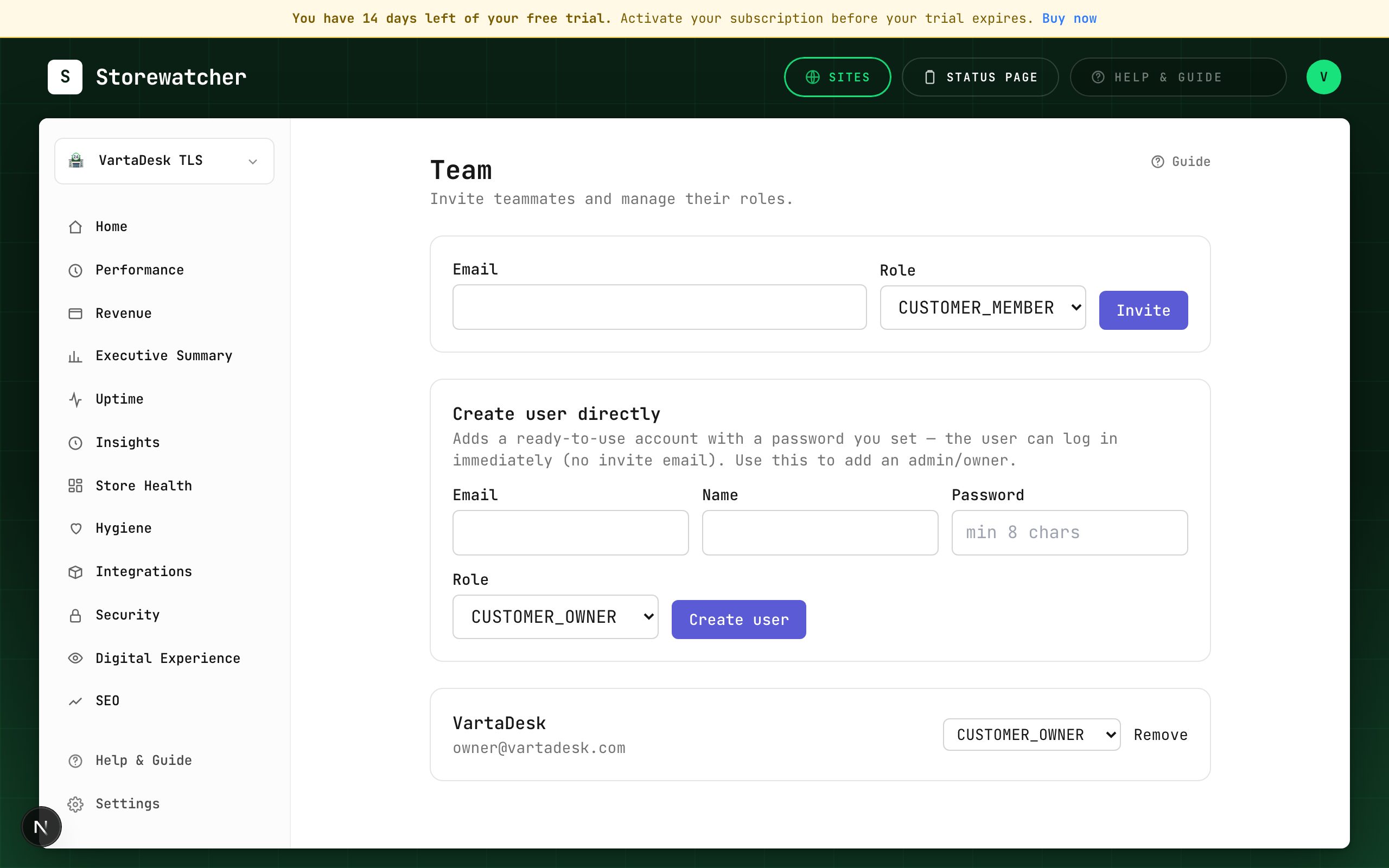
Pending invites count toward the plan seat cap until they are accepted or removed.
- 1Open Team from the sidebar (or Profile → Team).
- 2Enter their email, pick CUSTOMER_OWNER or CUSTOMER_MEMBER, and click Invite.
- 3They must accept the invite before they can sign in as a member.
- 4To skip the email, use Create user directly and set a password they can log in with immediately.
- 5If the form is blocked, you are at the seat cap — upgrade on Billing or remove a pending invite.
Owners manage billing and destructive integration resets. Members operate monitors and incidents. Do not share the owner password; invite or create a user instead.
Related
Still stuck? Open a support ticket.