Help & Guide/Account, plans & support
Settings
Open in appAlerts, origin health, checkout, planned work, team, and advanced detectors.
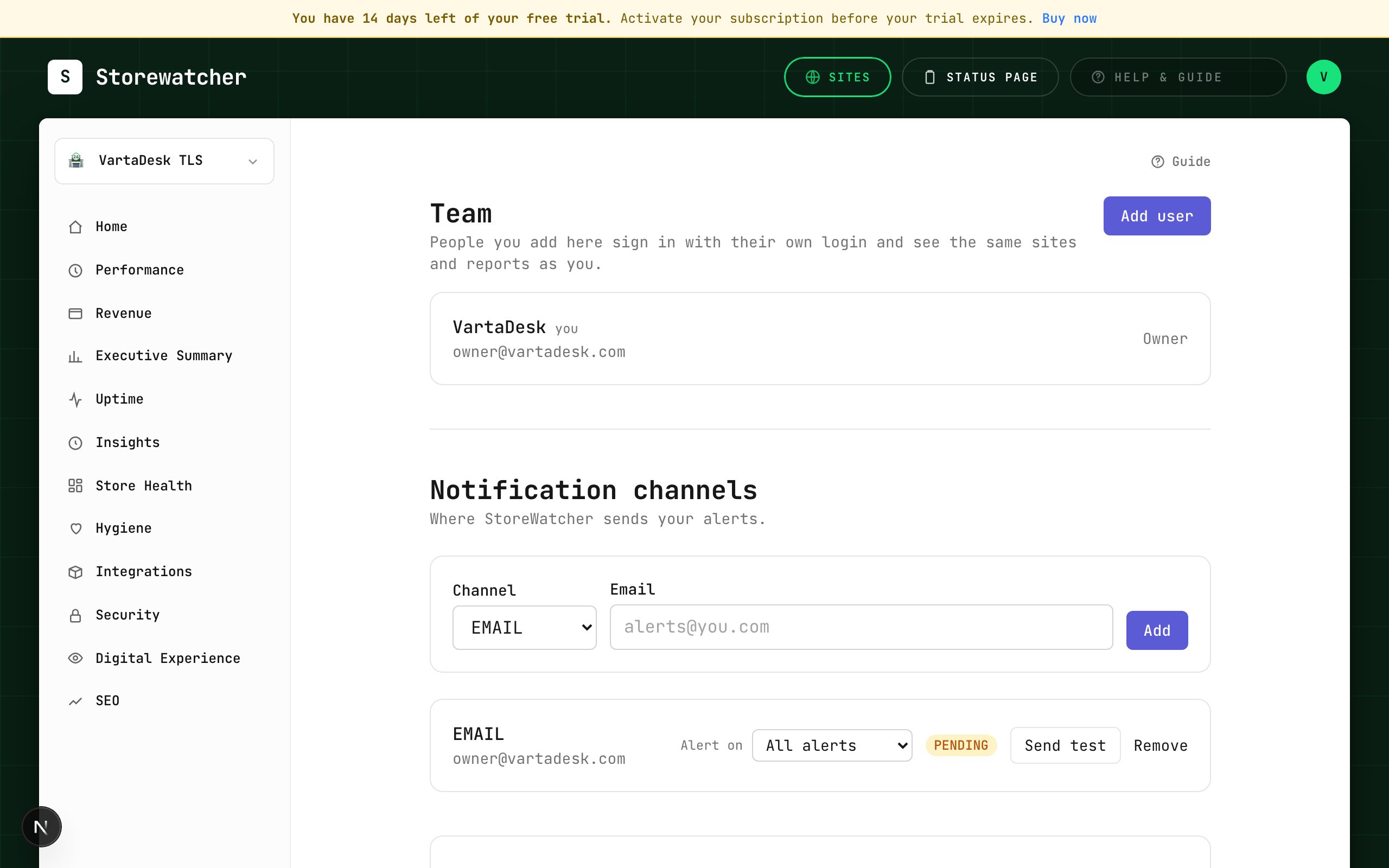
Settings is split by job. Alerts (default) is where you get paged: email, Slack, other channels, severity floor, and insight kinds. Origin health holds warn/down lines and the synthetic browser toggle. Checkout is the 5-minute Woo vs Magento checkout check. Planned work is maintenance windows. Team is seats and roles. Advanced is anomaly % vs baseline and AI drafts (BYOK). Profile → Edit profile also lands here.
Related
- Configure alertsEmail, Slack, SMS, WhatsApp, webhook, PagerDuty, plus a severity floor.
- Insight kindsTurn catalog types on or off for this organization.
- AI drafts (BYOK)Optional provider key for RCA and status copy. Humans still publish.
- TeamInvite members or create users, within the plan’s seat cap.
- Alert historyProof of every email, SMS, Slack, and other alert we attempted for this account.
- Self-check thresholdsWarn and down lines for CPU, RAM, disk, DB, render, and load (× cores).
- Synthetic browser checksOptional real-browser load of the storefront, off until you turn it on.
- Checkout check (Woo vs Magento)Catch a broken cart on the same ~5-minute loop as uptime, with separate recipes per platform.
Still stuck? Open a support ticket.