Help & Guide/Getting started
Connect Magento 2
Open in appCreate the store record, install the extension, paste the API key, wait for sync.
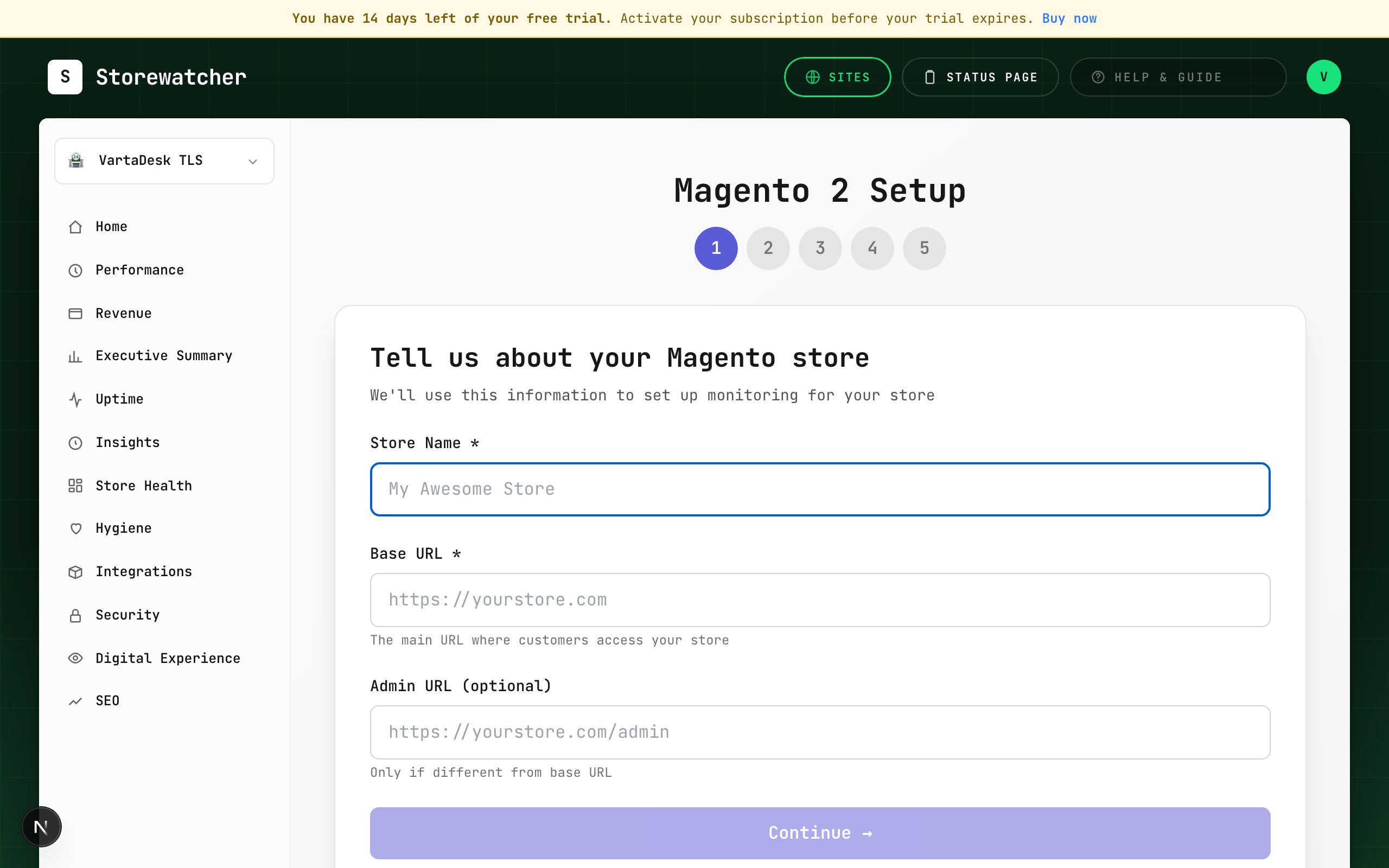
- 1Integrations → Magento 2. Enter store name, base URL, and optional admin URL.
- 2Install StoreWatcher_Monitor with Composer (recommended) or unzip into app/code/StoreWatcher/Monitor, then setup:upgrade and cache:flush.
- 3Copy the one-time API key from the wizard. You will not see it again.
- 4In Magento Admin: Stores → Configuration → StoreWatcher → Sync to SaaS. Paste the key, set the sync endpoint, enable sync, Save, then Sync Now.
- 5The wizard listens for the first snapshot. When it arrives, set alert channels and finish.
After connect, StoreWatcher creates an HTTP uptime monitor for the store URL (same as WooCommerce). Open the store under Uptime for Overview, Extension Health, Security, Products, Transactions, Revenue, and Real User Monitoring. Extension Health is the first place to look if snapshots stop.
Magento / Adobe Commerce extension 1.3.0+ sends an origin self-check on every ~5-minute sync: CPU, RAM, disk, database ms, page render, and load average. Those samples fill Store Health and the Origin health cards on Home and Uptime. Older extensions still send snapshots and Magento incidents, but Store Health gauges stay empty until you upgrade.
Related
- Connect a storeChoose a platform and complete the matching wizard.
- Extension HealthLast sync, extension version, and whether push is alive.
- Store HealthCPU, RAM, disk, DB, and render time from the store self-check.
- How origin health works by platformWhat CPU, RAM, disk, and load mean — and which stores can send them.
Still stuck? Open a support ticket.